A focused Windows desktop workflow for DJI Mavic 3 Multispectral datasets — from raw data QA and vegetation index generation to analytics, classification and client-ready reporting.
PGR M3M Crop Analytics is developed to help professionals process, inspect and interpret multispectral crop data more efficiently using a practical, structured desktop workflow.
Start from raw M3M flight QA, continue into vegetation indices, analytics and zoning without relying on a fragmented workflow.
Review histograms, statistics, class thresholds and map previews to better understand vegetation response patterns.
Generate structured outputs that are easier to present internally or deliver professionally to clients.
Everything needed for a more structured multispectral crop analytics workflow.
Check complete G / R / RE / NIR capture sets before processing begins.
Inspect metadata that supports more informed evaluation of your raw dataset.
Generate NDVI, NDRE, GNDVI, SAVI, OSAVI, MSAVI2, GCI, CIRE and more.
View histogram, minimum, maximum, mean, median, standard deviation, P10 and P90.
Convert continuous index values into practical Class 1 to Class 5 management zones.
Save workflow state into .pgrm3m project files and continue work later.
Inspect raster values directly from the preview to understand specific areas better.
Commercial Pro includes machine-based offline activation using secure license files.
A clear step-by-step path from M3M capture QA to final classification and reporting.
Check capture completeness and identify missing multispectral bands before processing.
Create NDVI, NDRE, SAVI and additional vegetation products from suitable processed inputs.
Inspect histogram, statistics and map preview to understand overall distribution and spatial variation.
Apply thresholds and convert the index map into clear Class 1–5 zones for management use.
Generate structured project reports for records, communication and client-ready delivery.
Save and reopen projects without repeating your workflow setup from the beginning.
Present the core workflow clearly through a clean standalone desktop interface.
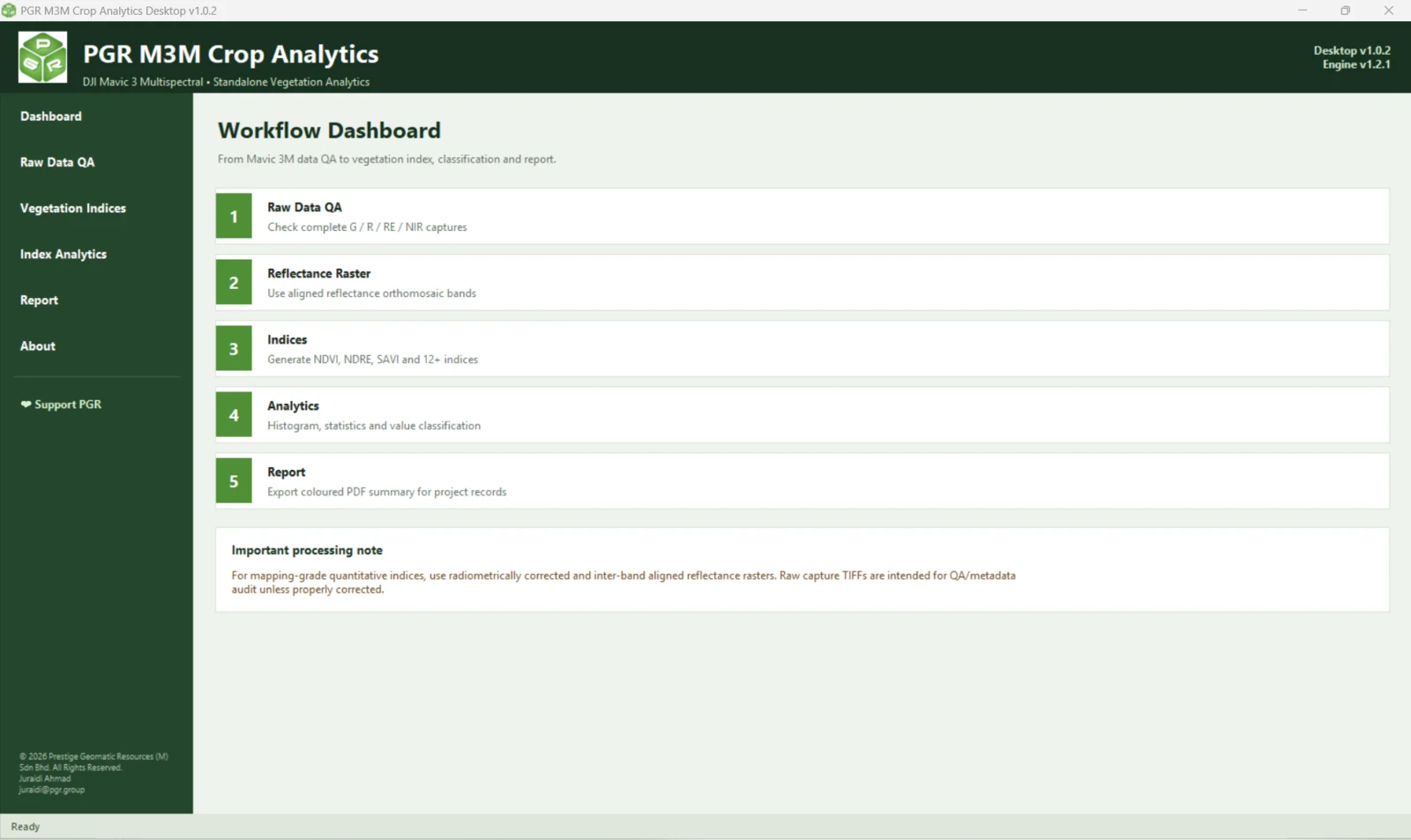
A structured entry point for M3M data QA, analysis, reporting and license management.
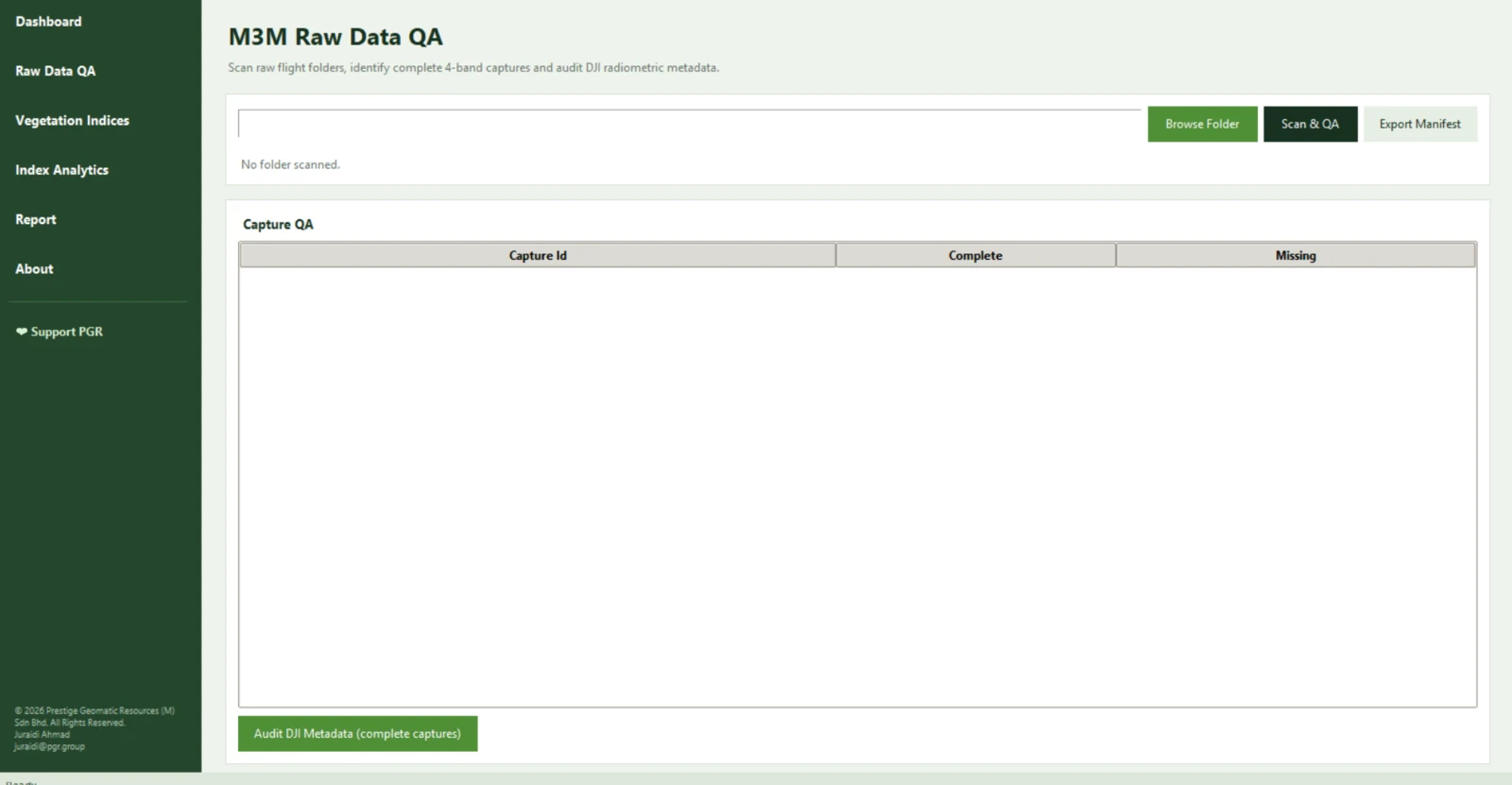
Scan raw folders and confirm complete multispectral captures before downstream processing.
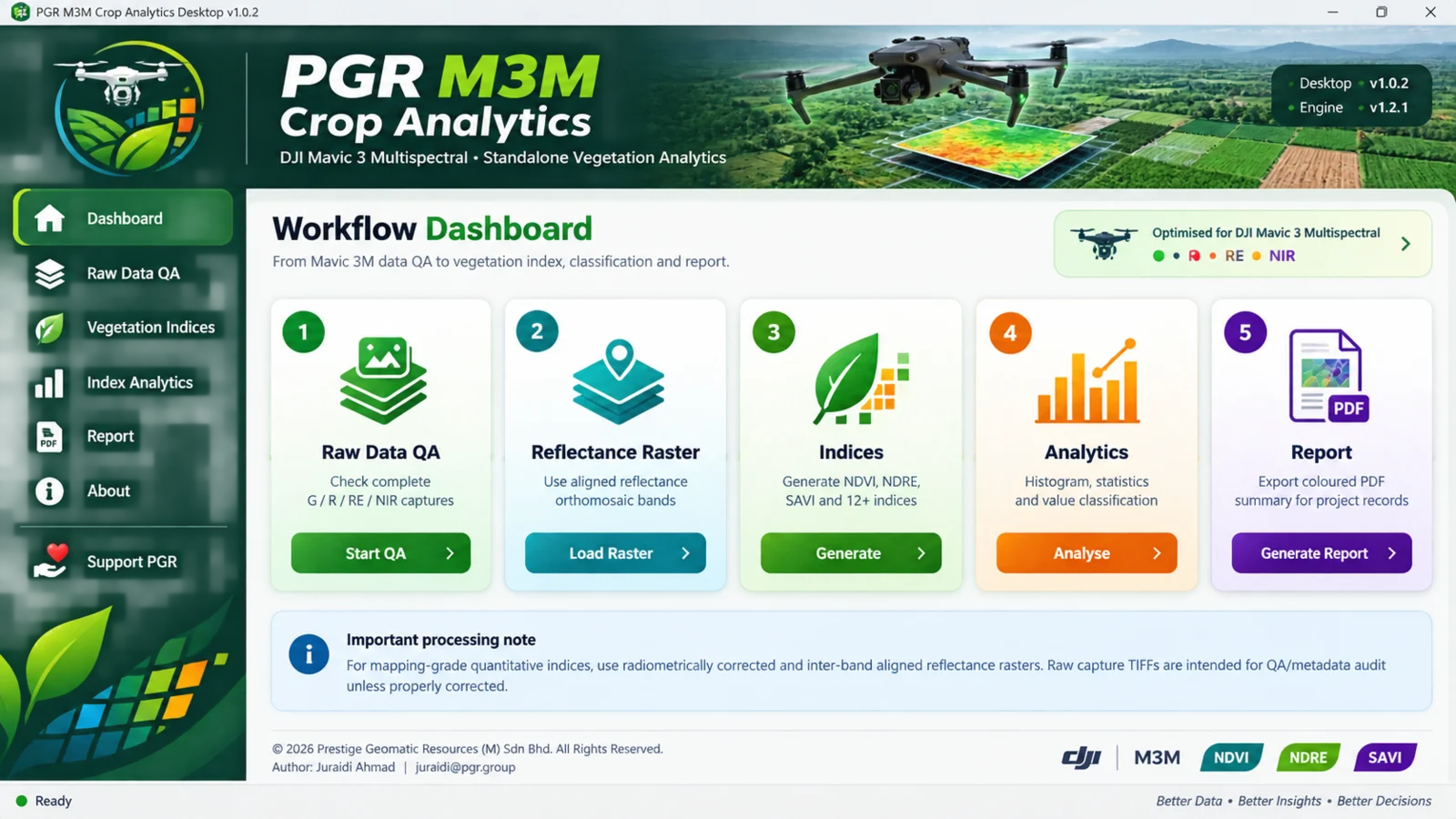
Generate a range of crop analytics products from properly prepared multispectral raster inputs.
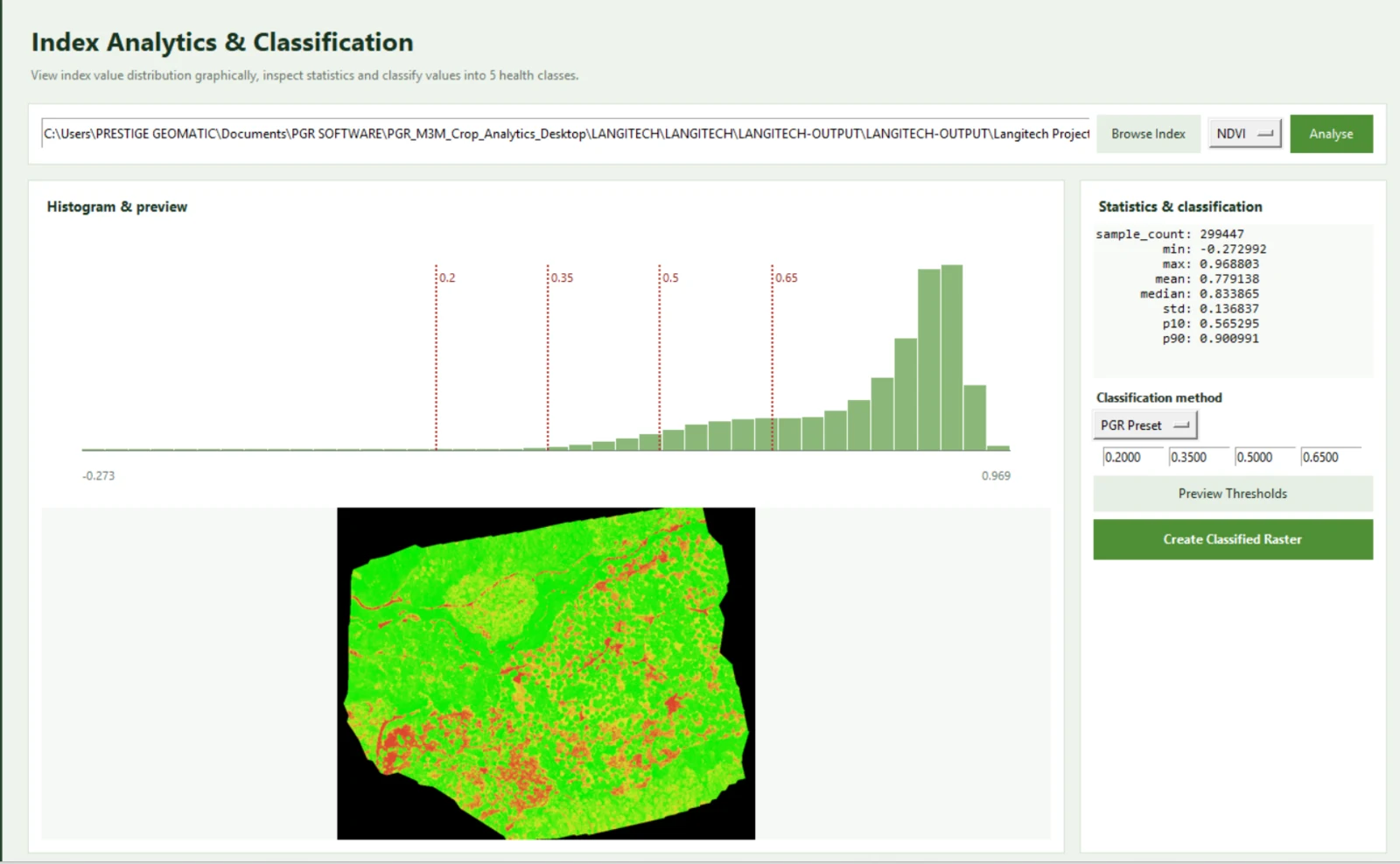
Review histograms, statistics and thresholds to understand the behaviour of the dataset.
Export client-ready and internal reporting outputs with clearer structure and presentation.
Manage trial, machine ID, offline activation and support workflow from one place.
Start free, move to a perpetual Commercial Pro license, or deploy PGR M3M Crop Analytics across a technical team.
Recommended system and workflow guidance for better day-to-day use.
For mapping-grade results, work with suitable processed raster inputs rather than depending solely on uncorrected raw imagery. The software is designed to support a more structured crop-analytics workflow, not to replace proper preprocessing and technical review.
Quick answers for trial users, prospective customers and commercial users.
Yes. The workflow is specifically aligned with DJI Mavic 3 Multispectral use cases and crop analytics workflows.
Yes. The software supports NDVI, NDRE and multiple additional crop-analysis indices.
Yes. You can classify values into Class 1 to Class 5 using threshold-based methods including PGR Presets.
Commercial Pro supports offline activation through a machine-based license workflow using a secure license file.
Yes. Commercial Pro includes project save/open support using PGR project files.
No. The RM499 launch offer is a one-time perpetual license for one device and includes 12 months of software updates. Optional maintenance after the included update period is RM199 per device per year.
Yes. An additional device license is RM349 per device for an existing Commercial Pro customer. Corporate 5 and Corporate 10 packages are available for larger deployments.
Start with a trial, request a demo or contact PGR GROUP for licensing, activation and workflow support.
Email: contact@pgr.group
Website: www.pgr.group
Company: Prestige Geomatic Resources (M) Sdn Bhd
Support: Trial setup, activation guidance, licensing and workflow assistance